City Exploration Checklist: Rental Van Travel Guide
City Exploration Checklist: Rental Van Travel Guide
A city exploration checklist for a rental van is a step-by-step preparation system that covers vehicle inspection, packing, route planning, and parking before you drive a single city block. Travelers who skip this process face unexpected damage charges, parking fines, and wasted hours on routes that don’t work for a full-size van. This guide walks you through every item on the urban adventure checklist, from the rental lot to your last stop of the day. Cities like Orlando, Miami, and Los Angeles each have their own traffic patterns, parking rules, and must-see landmarks. Following a structured checklist means you spend more time at those landmarks and less time solving problems.
1. What to inspect on your rental van before leaving the lot
Vehicle inspection is the single most important step in any van rental for city trips. A structured pickup process covers paperwork verification, exterior walk-around, interior check, and a systems test before you confirm anything in writing. Skipping even one step can leave you liable for pre-existing damage.
Documents to verify first:
- Rental agreement with your name, dates, and vehicle class
- Government-issued driver’s license and a second form of ID
- Insurance confirmation, whether through your personal auto policy or the rental company’s coverage
Exterior checks:
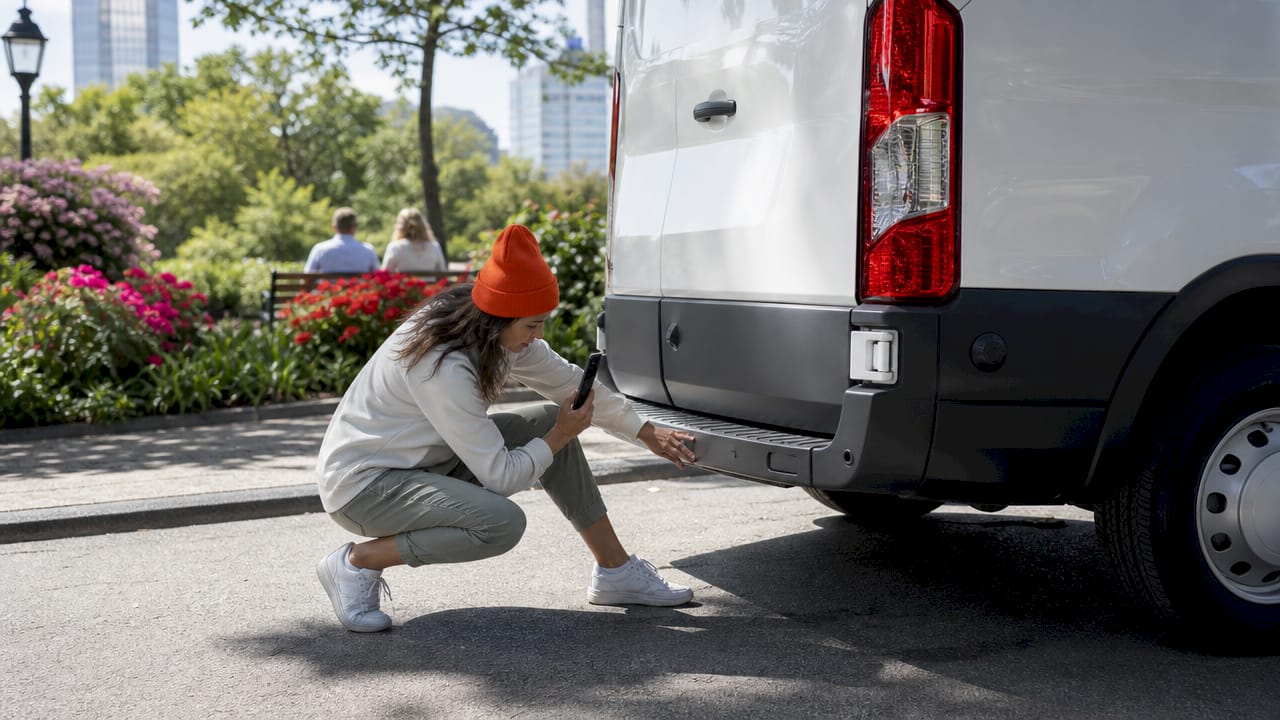
- Photograph all four sides, the roof, and the underside of bumpers
- Document 12–20 photos with timestamps, including mileage and fuel level in frame
- Check tire condition and note the roof height clearance for garages
- Inspect wheels, bumpers, roofline, and windshield for chips
Interior and systems checks:
- Test locks, interior lights, climate control, and navigation screen
- Adjust driver seat and mirrors before moving the van
- Check the sliding door operation and cargo area condition
- Confirm the first-aid kit and safety documents are accessible
Any new damage you spot must appear on the official condition report before you sign. Insist on this. Rental companies treat condition reports as legal handoffs, and your photos are your defense.
Pro Tip: Set your phone camera to include location and timestamp data before you start the walk-around. This creates a verifiable record that matches the rental lot address and time.
2. Essential packing and tech prep for urban van exploration
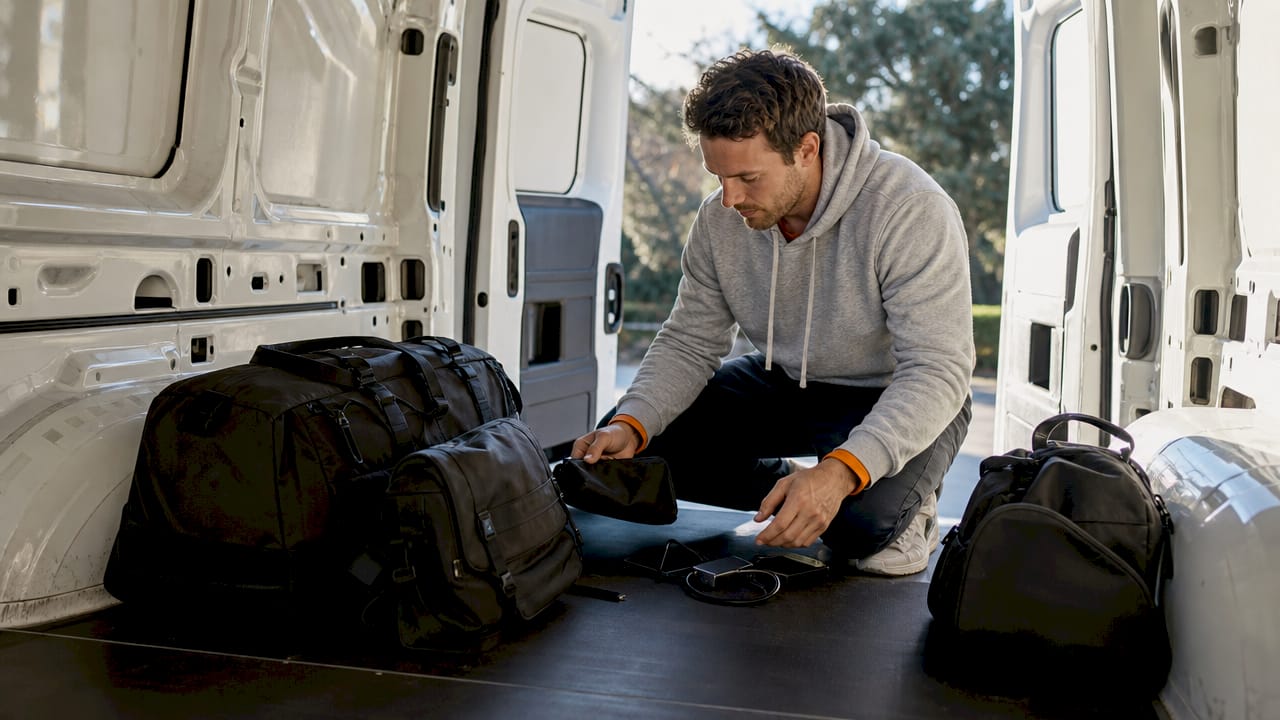
Packing light is the right call for city sightseeing, but your tech setup determines whether you stay on schedule or lose an hour looking for a signal. Urban exploration drains phone batteries fast because GPS, camera, and ticketing apps run simultaneously. A power bank of at least 20,000mAh keeps your devices running through a full day of navigation and photography.
Tech checklist:
- Smartphone with offline maps downloaded before departure
- Power bank (20,000mAh or higher capacity)
- USB-C and Lightning cables plus a car charger adapter
- Translation app with offline language packs if needed
- Ticketing and parking apps installed and registered in advance
Compact day pack items:
- Reusable water bottle
- Light snack for long stretches between stops
- Wallet with cards and a small amount of cash
- Government-issued ID separate from your passport
Digital security basics:
- Strong, unique passwords on all travel apps
- Two-factor authentication enabled on email and banking apps
- Avoid public Wi-Fi in cafés and transit hubs for sensitive logins
- Use a hotel safe or locked van storage for items you don’t carry
Keep your van’s cargo area organized. A loose bag sliding around in the back becomes a problem when you need something quickly at a parking meter.
Pro Tip: Pack a dedicated tech pouch with all cables, adapters, and the power bank. Drop it into your day pack every morning so you never leave the van without backup power.
3. How to plan your city route for van-based sightseeing
A general route with built-in buffer time outperforms a tight schedule every time. Urban van trips work best when you research must-see stops, sequence them by geography, and leave room for traffic, parking searches, and unexpected detours. Trying to hit eight landmarks in four hours in a city like Los Angeles is a plan that fails before lunch.
Follow this sequence when building your itinerary:
- List your top five to seven stops by neighborhood or district, not by personal priority. Grouping stops geographically cuts driving time significantly.
- Check van-specific route restrictions. Low bridges, weight-restricted roads, and narrow parking structures are real hazards for full-size vans. Google Maps and Waze both allow vehicle height filters.
- Assign time blocks, not exact times. Give each stop a 45-minute to 90-minute window rather than a fixed arrival time.
- Build in a 30-minute buffer between each major stop for parking, walking distance from the lot, and restroom breaks.
- Start with a short test drive on your first morning. A 20-minute loop around your hotel area teaches you how the van handles city turns and how much space you need to park.
- Monitor traffic before each departure. Apps like Google Maps and Waze show real-time conditions. Adjust your sequence if a route shows heavy congestion.
- Balance driving and walking. Park the van in a central location for clusters of nearby attractions and walk between them. Moving the van for every stop multiplies your parking time.
Printed backup routes are worth the effort. Cell service drops in parking garages and tunnels, and offline access keeps your navigation functional when the signal disappears.
4. Navigating city parking and payment systems with a rental van
Parking is where most city road trip essentials plans fall apart. Urban parking systems vary by city and even by neighborhood, and a rental van adds size restrictions that standard cars don’t face. Confirm payment methods before you arrive because some downtown zones only accept app payments, while others require exact change at a pay station.
Parking payment types you will encounter:
- Meter apps (ParkMobile, PayByPhone) tied to your license plate number
- Pay stations that print a receipt for your dashboard
- Plate-based systems that read your plate at entry and charge on exit
Before you pick up the van:
- Install the parking app used in your destination city
- Create an account and add a payment method
- Leave the plate number field blank until after pickup
Van-specific parking rules:
- Check posted signs for height restrictions in covered garages
- Look for “no oversized vehicles” signs on street parking
- Note maximum stay limits, which are often two hours in commercial zones
- Check enforcement hours. Many meters stop at 6 p.m. or 8 p.m., making evening parking free
Pro Tip: After you pick up the van, open your parking app immediately and enter the exact plate number shown on the rental agreement. A single digit error triggers a citation that takes weeks to dispute.
Rental van insurance also matters here. Declining coverage can leave you responsible for damage charges and loss of use fees if the van is damaged in a parking lot. Check your personal auto policy for gaps before you decline the rental company’s plan.
Key takeaways
A complete city exploration checklist for a rental van covers vehicle inspection, tech packing, route planning, and parking prep before you leave the lot.
| Point | Details |
|---|---|
| Inspect before you drive | Photograph all damage zones and confirm the condition report before signing. |
| Pack a tech pouch | Carry a 20,000mAh power bank, offline maps, and parking apps every day. |
| Plan routes by geography | Group stops by neighborhood to cut driving time and parking moves. |
| Register your plate early | Enter the rental plate in parking apps immediately after pickup to avoid fines. |
| Verify insurance gaps | Check your personal auto policy before declining the rental company’s coverage. |
What I’ve learned from city van trips that no checklist tells you
The checklist items above are correct. What they don’t capture is the mindset shift that makes them actually work.
Most travelers treat the vehicle inspection as a formality. I treat it like a legal handoff, because that’s exactly what it is. The rental company’s agent is friendly, the lot is busy, and the pressure to move quickly is real. Slow down anyway. The condition documentation step takes 10 minutes and can save you hundreds of dollars.
The parking app lesson took me an embarrassing number of trips to learn. I would install the app at the meter, rush through registration, and enter the plate number from memory. Wrong plate, valid payment, and a citation waiting at the van. Now I update the plate in the app in the rental lot parking space, with the agreement in hand. That one habit change eliminated the problem entirely.
Route planning is where I see travelers over-engineer things. A color-coded spreadsheet with 12 stops and exact arrival times sounds thorough. It falls apart the moment you hit a 20-minute parking search on stop two. A loose list of five to seven stops, grouped by area, with no fixed times, consistently outperforms the spreadsheet. Cities reward flexibility. Vans require it even more because your parking options are narrower than a sedan’s.
The packing evolution was simple. I started with a full suitcase accessible from the cargo area and ended up with a single day pack and a locked storage bag in the back. Cities are for walking. The van is your base, not your closet.
— Gabriel
Myvanrentals makes your city van rental straightforward
Planning a city trip with a van is much easier when the rental service already knows the city you’re visiting.
Myvanrentals manages city-specific fleets in Orlando, Miami, and Los Angeles, with local teams who know the best routes, parking zones, and attractions in each area. You get a van suited for your group size, a central pickup location, and support from people who work in that city every day. Whether you’re heading to theme parks, beaches, or downtown nightlife, Myvanrentals matches the right vehicle to your itinerary. Book your city van and start your trip with the right vehicle already lined up.
FAQ
What documents do I need to rent a van for city travel?
You need a government-issued driver’s license and at least one additional form of ID such as a passport or recent utility bill. Some rental companies also require a check code generated from your license record, valid for 21 days.
Does my personal auto insurance cover a rental van?
Personal auto policies often extend to rental vehicles, but coverage gaps such as loss of use fees are common. Verify your policy details before declining the rental company’s coverage plan.
What parking apps work best for city van rentals?
ParkMobile and PayByPhone are widely used across major U.S. cities. Install the app for your destination city before arrival, create an account, and enter your rental plate number immediately after pickup.
How do I plan a city route that works for a full-size van?
Group stops by neighborhood rather than personal priority, use Google Maps or Waze with vehicle height filters, and build a 30-minute buffer between major stops. Start with a short test drive on your first morning to get comfortable with the van’s size.
What should I pack for a day of city sightseeing from a van?
Carry a compact day pack with your phone, a 20,000mAh power bank, cables, a reusable water bottle, a snack, your wallet, and a government-issued ID. Download offline maps and install parking apps before you leave the hotel.